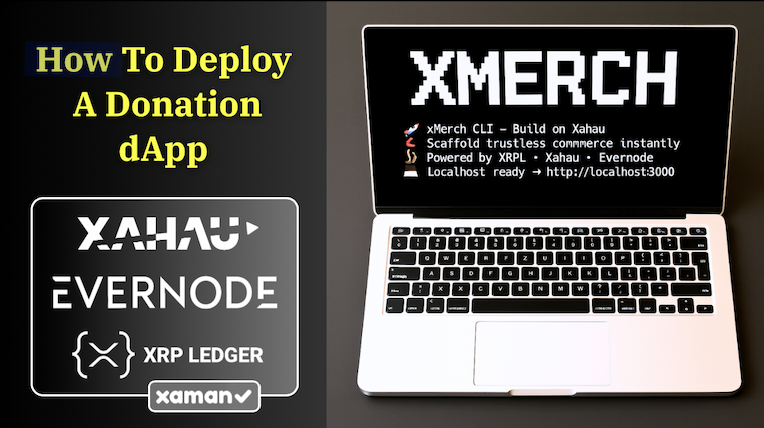

How to Build a Donation dApp on Xahau with xMerch
The xMerch CLI lets anyone launch a dApp on Xahau in just a few minutes.
This walkthrough shows how to create a simple donation page that accepts XAH using the Xaman Wallet, without building anything from scratch. Creators, community projects, and small teams can use it to receive donations instantly, with the xMerch CLI handling the setup. Once your dApp is built, it'll be ready to deploy to a web hosting service like Evernode.
Prerequisites:
Make sure you have the following installed before starting:
-
Node.js (Mac Tutorial) (PC Tutorial)
-
VS Code (Tutorial)
-
A Xaman developer wallet (Tutorial)
1. Set Up Your Project
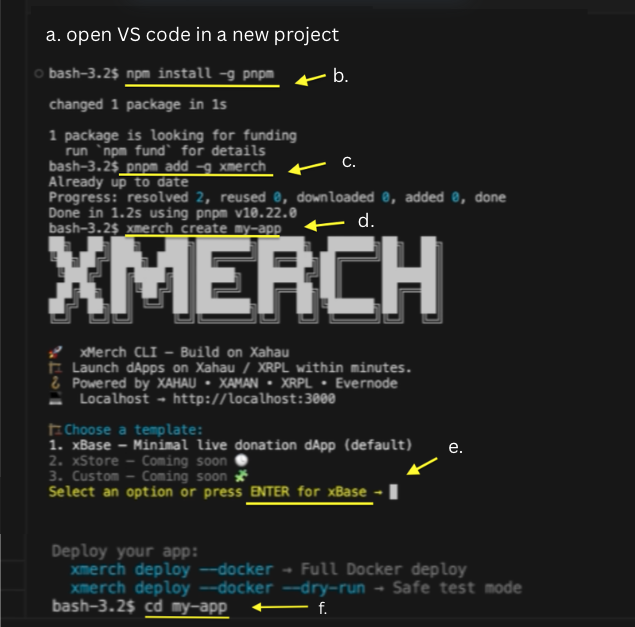 Step 1
a. Open VS Code in an empty project folder.
b. Install PNPM: write npm install -g pnpm
c. Install xMerch CLI: write pnpm add -g xmerch
d. Create your project: write xmerch create my-app
e. Select the xBase template when prompted.
f. Enter the folder: write cd my-app
2. Get Your Xaman API Key and Secret
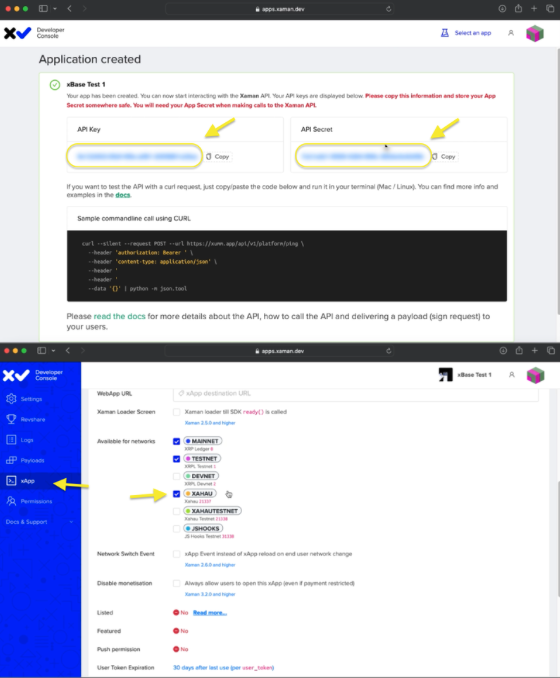 Step 2
a. Go to apps.xaman.dev and sign in by scanning the QR code with your wallet.
b. Create a new application by entering a name and description.
c. Copy both the API Key and API Secret for the next step.
d. Open the xApp tab and enable the Xahau network so the dApp can create transactions on Xahau.
3. Add Your Environment Variables
 Step 3
a. In your project folder, open the env.local file. On Mac or Linux, write nano .env.local On Windows, write code .env.local
b. Add your Xaman API Key, API Secret, and the wallet address where donations should be sent.
c. Save the file. (Ctrl + X → Y → Enter)
4. Run the dApp
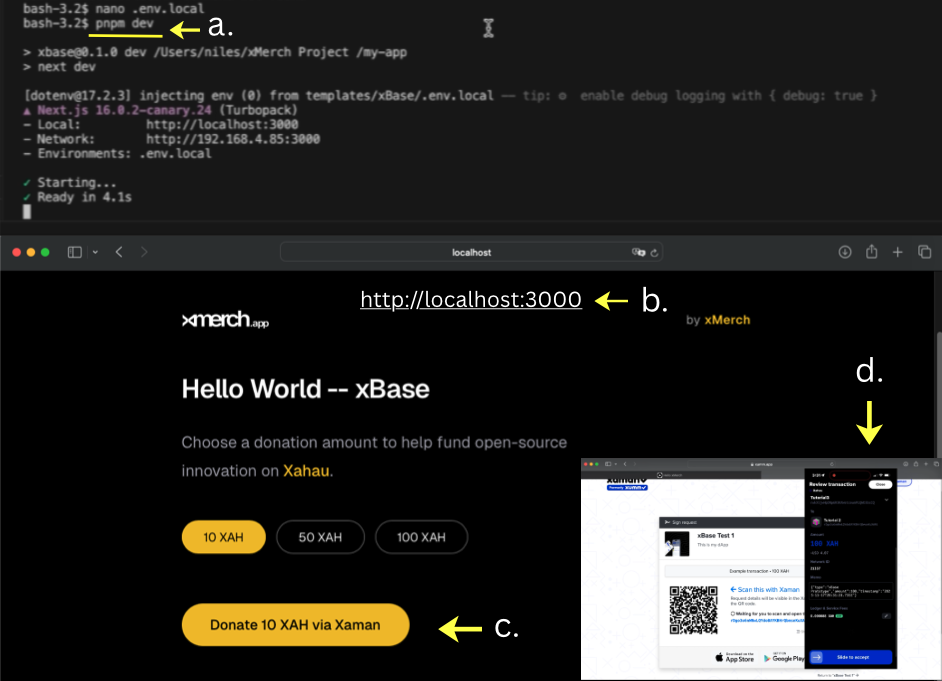 Step 4
a. Start the development server: write pnpm dev
b. Open your browser and go to http://localhost:3000. You should now see your donation page.
c. Select a donation amount, click Donate, and approve the transaction in your Xaman wallet.
If a transaction payload appears in Xaman, everything is set up correctly.
5. Evernode Deployment Dry Run (Optional)
Once your donation page works locally, you can deploy it to any hosting service like Evernode to make it publicly accessible.
Evernode uses Docker, so you’ll need to have Docker installed and running before deploying. (How to Install Docker)
With Docker installed and running, write xmerch deploy --docker --dry-run
Watch the full video tutorial here
More About xBase CLI:
xBase is the default starter template included with the xMerch CLI. It’s a friendly setup built with Next.js, Xaman, and Xahau, giving you everything you need to start building trustless commerce apps.
It scaffolds a fully working Web3-native dApp wired for:
- Xaman (Xumm) authentication
- Xahau payment payloads
- Real-time on-chain donation / micro-payments
- Next.js 16 + Tailwind + Framer Motion
- Clean, minimal backend API routes
No backend servers required.
Helpful Links:
Xaman Wallet: https://xaman.app
Xahau Network: https://xahau.network
VS Code: https://code.visualstudio.com/download
Evernode: https://www.evernode.org
Docker: https://www.docker.com/
Node.js: https://nodejs.org
xMerch CLI: https://www.npmjs.com/package/xmerch
xMerch Testing & Feedback: https://github.com/mworks-proj/xmerch-testing